Contact us
Found a bug, have an idea, or need help with a purchase? Send us an email — we read every message.
Tip: include your phone model so we can help faster.
FAQ
How do I play?
Tap the ground to dig. A number shows how many rocks are in the squares around it. Use the numbers to work out where it's safe, and dig up every bone. Hitting a rock damages your pickaxe; three hits and the dig is over. Use the Flag tool to mark a rock you have found.
How do I complete an animal?
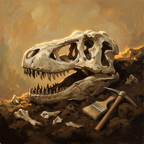
Each dig uncovers one part — skull, body, legs or tail. Find all four and the skeleton goes on display in your museum.
How do I get coins?
Visitors pay for tickets to see your museum, and every finished dig pays a reward. You can also watch an optional video for extra coins. Coins are never sold for money.
How do I open new dig sites?
Buy a dig permit with your coins on the map, or get Fossil Dig Pro to open all three new sites at once.
I bought Pro on a new phone. How do I get it back?
Sign in with the same Apple ID or Google account, open the menu and tap Restore purchase.
Will I lose my progress if I delete the app?
Your museum and progress are saved only on your device, so deleting the app removes them.
Does the game need the internet?
No. Everything works offline. Ads and purchases need a connection.
Privacy
Read how we handle data in our Privacy Policy.